
How to Cite ChatGPT in APA, MLA, Chicago and Harvard (2026)
The official APA, MLA and Chicago formats for citing ChatGPT, copied from each style guide, plus what Harvard variants say and what a citation does not settle.

free AI humanizer
Paste a draft from ChatGPT, Claude, Gemini or any SI (AI) writer. This text humanizer rewrites it with a natural rhythm and plain words, keeps every fact where it was, and shows you each phrase it fixed.
Use it when your text sounds like SI (AI) and you want it to sound like you. You see every robotic phrase it fixed. Not quite? Try the Paraphraser, Rewriter or Summarizer.

what it is
Text written by a language model has a sound you learn to recognize. Every sentence is the same length. Paragraphs open with "In today's world" and close with a tidy moral. Words like delve, seamless and pivotal show up far more than any human would use them. Nothing is wrong, exactly, but readers tune out.
Whether you call it an SI humanizer, an AI humanizer or a humanizer AI tool, the job is the same. SI Humanizer is an online tool to humanize AI text. It reads your draft the way a good editor would and fixes those habits one by one: it varies the rhythm, cuts the filler, replaces stock vocabulary with the word you would actually say, and keeps the structure only where the content needs it. Your ideas, your facts and your citations stay exactly where they were.
It is not a spinner that swaps random synonyms, and it is not a trick to fool software. It is a fast second pass that turns an AI draft into something you are happy to put your name on.
a real example
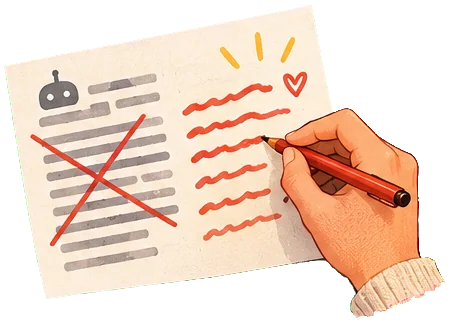
This is a typical ChatGPT paragraph, run once through SI Humanizer in Natural style. We did not edit the result.
before: SI draft
In today's fast-paced digital landscape, remote work has become a pivotal aspect of how companies operate. Moreover, it offers employees a seamless way to balance their professional and personal lives. It is important to note that remote work is not without its challenges. Firstly, communication can become fragmented. Secondly, team cohesion may suffer. Lastly, employees may feel isolated.
after: humanized
Remote work has become central to how companies operate, and it gives employees flexibility to manage work alongside their personal lives. That said, it comes with real obstacles. Communication can break down when people aren't in the same room. Team cohesion suffers. Employees may feel isolated.
Same points, same order, a little shorter. The "Firstly, Secondly, Lastly" frame is gone, the vague "not without its challenges" became "real obstacles", and the rhythm now moves between a long sentence and two short ones.
how it works
No settings maze. Pick a style if you want one, paste, and read the result next to your original.
Paste it, or upload a Word, PDF or .txt file. Anything from a two line email to a 1,000 word essay section. The counter tells you where you stand.
Natural for most things, Casual for messages and social posts, Professional for work, Academic for coursework and reports.
The result shows how many robotic phrases were fixed, with each edit highlighted. Hover or tap one to see why it changed and what it replaced.
under the hood
Humanizing text is less about fancy words and more about removing the patterns that give machine writing away. Here is what SI Humanizer looks for.
Models tend to write sentence after sentence of similar length and shape. People do not. The humanizer mixes longer sentences that carry two connected ideas with short ones that land a point, and it avoids strings of choppy fragments too.
Some words appear in AI text far more often than in normal writing. The humanizer replaces them with plain equivalents, or cuts them when they carry no meaning:
Lists of exactly three, "Firstly / Secondly / Lastly" scaffolding and closing sentences that repeat the paragraph are rewritten into normal prose. If your content really is a list, it stays a list.
You see all of this in the result: each edit is highlighted in the color of its reason, with the original wording one tap away.
Facts, figures, names, dates, quotations, URLs, technical terms and in-text citations. It also will not add fake anecdotes, deliberate typos or slang you would never use, the usual tricks of tools that care more about detectors than readers.
The full pipeline, with more real examples and the limits we know about, is on How it works.
no strings
Most humanizers offer a few hundred free words, then ask for a card. We keep a real free tier because a humanizer is something you use a little, often: an email, a cover letter paragraph, a product description.
If the engine fails on a request, that request is not counted. Your allowance refills every day at midnight UTC.

any model
Every large language model has its own tells, but they overlap a lot: uniform rhythm, heavy transitions, confident filler. SI Humanizer is tuned against those shared habits, so it works as a ChatGPT humanizer, a Claude humanizer or a Gemini humanizer without you choosing anything.
It also works on your own writing. If you drafted something tired at midnight and it reads flat, the Natural style will tighten it the same way.
Students use SI Humanizer on essay drafts, lab reports and discussion posts. The Academic style keeps a careful register, respects hedging ("may", "suggests") and leaves citations such as (Engels, 1845) in place. It does not invent sources and it will not make an argument stronger than your evidence.
One honest note. Humanizing a text that a model wrote for you does not make it your work. Many schools allow AI help for brainstorming or editing and ask you to say so; some do not allow it at all. Check your course rules. If you wrote the essay yourself and it simply sounds stiff, the humanizer is a quick, legitimate editing pass.
the detector question
We are not going to promise that. AI detectors such as Turnitin, GPTZero or Originality.ai give probabilities, not verdicts. They update their models often, they disagree with each other, and they sometimes flag text written entirely by people, especially by non-native English speakers.
What we can say: text that reads naturally to a human is simply better text. That is what SI Humanizer is for. If you need to show that a text is yours, keep your drafts and notes, they are far better evidence than any score.
Want to understand the craft behind it? Read our guide on how to humanize SI text by hand, or compare tools in the best SI humanizers.

who it helps
Turn a first draft of a landing page, newsletter or LinkedIn post into copy that sounds like your brand and not like everyone else's.
Smooth the stiff parts of your own essays and reports, keep your citations, and learn which phrases make writing sound generic.
Write in English with an SI helper, then humanize so your emails and applications read fluently and warmly.
An SI humanizer, often called an AI humanizer, takes text produced by a language model and rewrites it the way a careful human editor would. It varies sentence length, swaps stock phrases for plain words, removes the scaffolding models love ("Firstly... Secondly... Lastly") and keeps your meaning and facts intact. The goal is text that reads naturally, not text that hides where it came from.
Yes, you can humanize AI text free every day. You can run the humanizer 3 times a day without an account, up to 1,000 words per run. A free account raises that to 3,000 words a day across all four tools. No card, no trial that turns into a bill. A Pro plan with longer texts is on the way, see pricing.
Yes. Click "Upload a file" above the text box, or drag a file onto it: .txt, .docx (Word) and .pdf files up to 2 MB work. We extract the text, show it in the box so you can check and edit it, and delete the file right away. PDFs need selectable text: a scanned page is an image, so paste its text instead. Long files are cut at your word limit per run, with a note.
We do not promise that, and you should be wary of any tool that does. Detectors change often, they disagree with each other, and they flag some human writing too. SI Humanizer is built to make text read better for people. If your school or client asks for original work, the honest route is to write it yourself and use tools like this one for editing, then disclose that use if the rules ask for it.
It is instructed not to. Names, numbers, dates, quotes, citations such as (Smith, 2021) and technical terms are kept as they are, and nothing new is added. Language models can still slip, so read the result before you use it, especially for anything with figures or legal and medical wording. Every edit the humanizer made is highlighted with its reason, so checking takes seconds.
After each run, SI Humanizer lists the notable edits it made and highlights them in the result. Hover or tap a highlight to see the reason (SI tic removed, rhythm varied, plain word, or shorter sentence) and the original wording. The counter is simply how many of those edits it found. It describes the writing, it is not a detector score.
Yes. The humanizer works on any text, whatever wrote it: ChatGPT, Claude, Gemini, Copilot, Jasper, or a first draft you wrote in a hurry. It is a ChatGPT humanizer in the sense that it removes the patterns that make ChatGPT prose easy to spot by a human reader.
The site is in English, but the tool answers in the language you paste. French, Spanish, German, Italian, Portuguese and Dutch work well. Results in less common languages can be less polished.
No. Your text is sent to our language model provider to produce the result, and we do not keep it in our database. We only log the tool used, the word count and the time taken, to run the service and enforce the free limits. The API provider does not train on data sent through its commercial API. Details are in our privacy policy.
The humanizer targets the specific habits of machine-written text. The SI Paraphraser says the same thing with different words, in four modes. The SI Rewriter reworks style and tone, from a single sentence to a full article. The SI Summarizer shortens long texts to their key points.
Up to 1,000 words per run on the free tiers and 3,000 words with Pro. Longer documents work best in sections anyway: humanize one part, read it, then move on.
SI stands for Super Intelligence, the name now used for advanced AI systems. We use SI first and AI as its synonym, so "SI humanizer" and "AI humanizer" mean the same thing here.
The official APA, MLA and Chicago formats for citing ChatGPT, copied from each style guide, plus what Harvard variants say and what a citation does not settle.
What students can legitimately use an SI (AI) humanizer for, where the line is, how to disclose and cite SI use, and why no tool can promise anything about Turnitin.
Set ChatGPT's personality, characteristics and custom instructions once, prompt with a real writer and reader, then edit with a short checklist. Includes a before/after.

Paste a paragraph and see the difference. It takes about as long as reading this sentence twice.
Humanize my text